
Passport
Valid for at least 7 months from your departure date; a clear scan or photo of the bio page and the cover page.
Complete your application in minutes, error-free. Below we walk you through every step with visuals and exactly what to do.
The application is fully online and takes about 5–10 minutes. Your progress is saved automatically, so you can continue where you left off any time. Having these ready speeds things up:
Valid for at least 7 months from your departure date; a clear scan or photo of the bio page and the cover page.
Both sides of your Turkish ID card (foreign nationals: Turkish Residence / Work Permit card).
A recent close-up on a white background, no shadows.
Your outbound and return ticket. A ticket is required — not a reservation.
Showing the hotel name, address, check-in/check-out dates and your name; dates must match your ticket.
A 3D Secure–enabled credit/debit card, or pay by bank transfer.
Valid contact details for notifications and your tracking link.
The wizard guides you in order; you complete each step and move on.
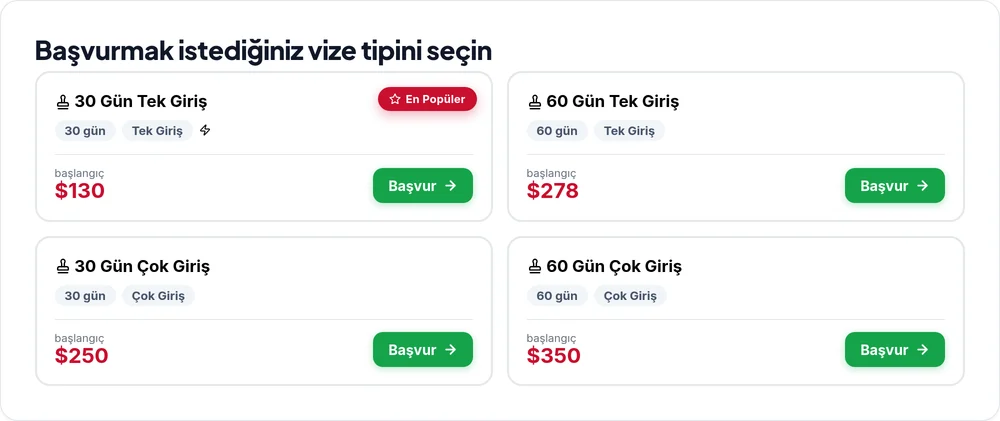
You start by picking the visa type that fits your trip. Each card shows the stay duration, entry rights (single/multiple) and the starting price; types offering express carry a ⚡ mark.
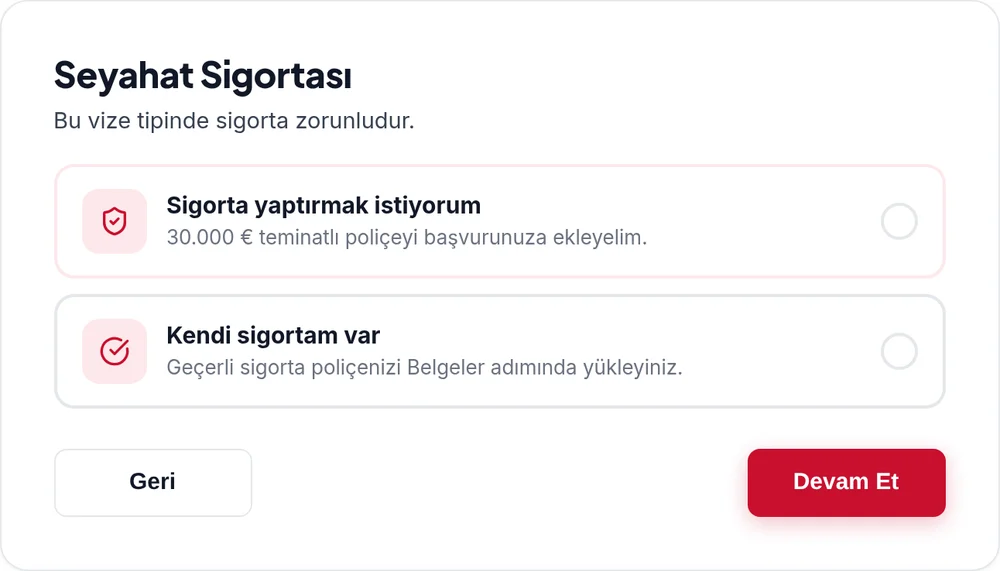
Travel health insurance is mandatory for entry into the UAE. Add our €30,000 policy to your application, or upload your own valid policy instead.
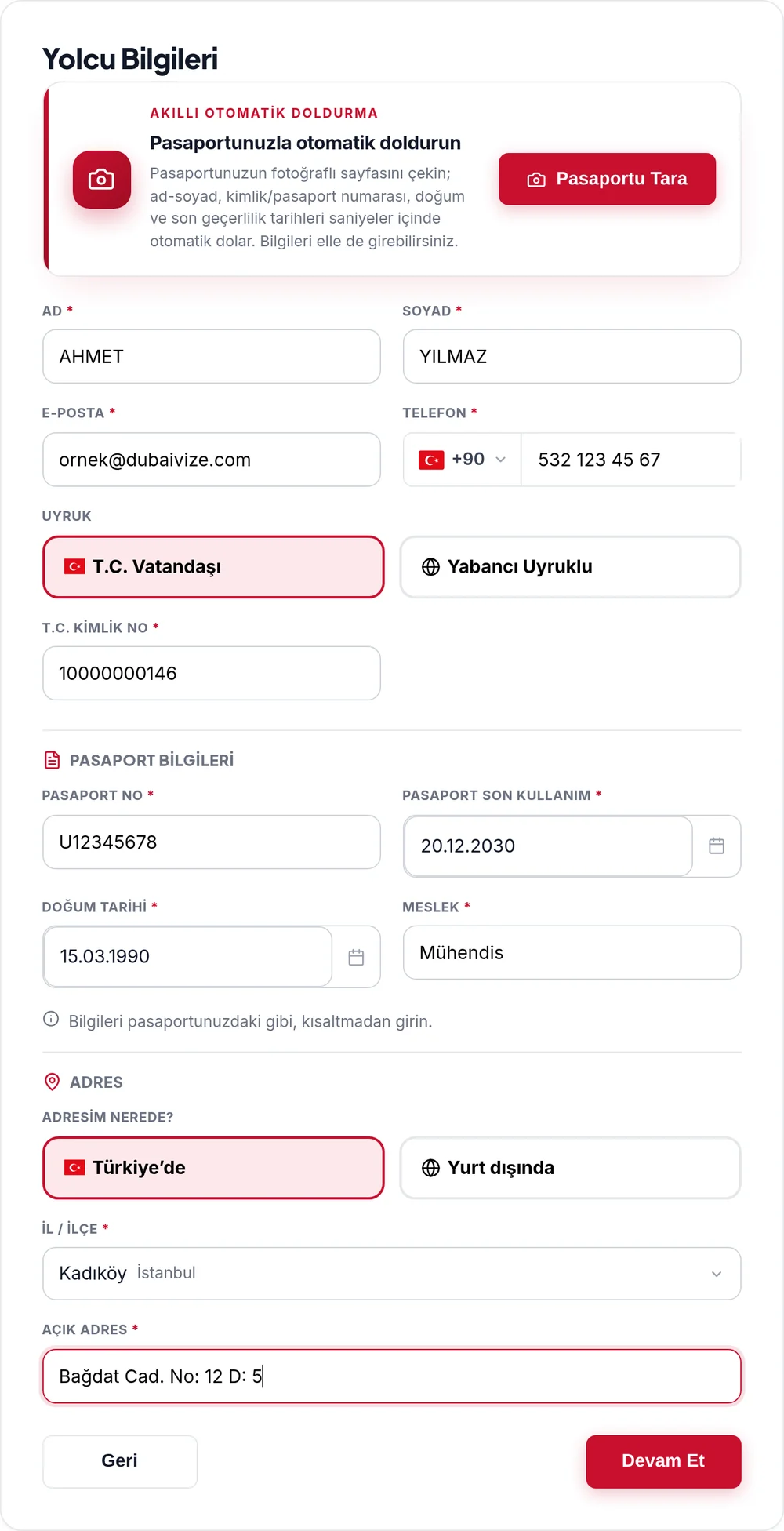
Photograph the bio page of your passport — name, ID/passport number and dates fill in automatically within seconds. You can also enter everything by hand.
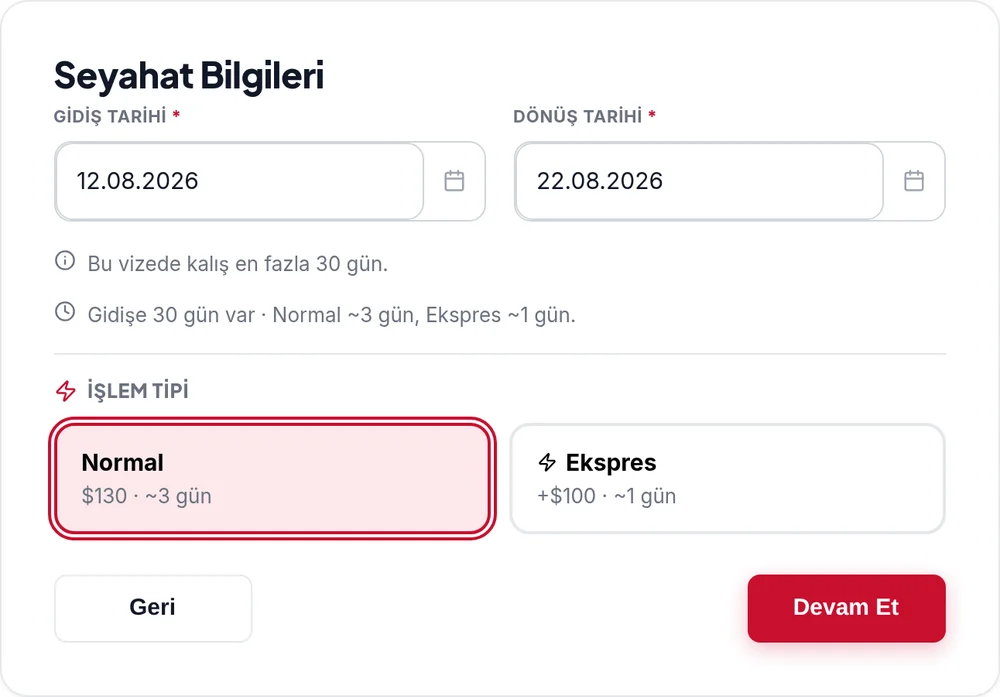
You enter your travel dates; the system instantly checks them against the stay limit and visa validity. Then you choose your processing speed.
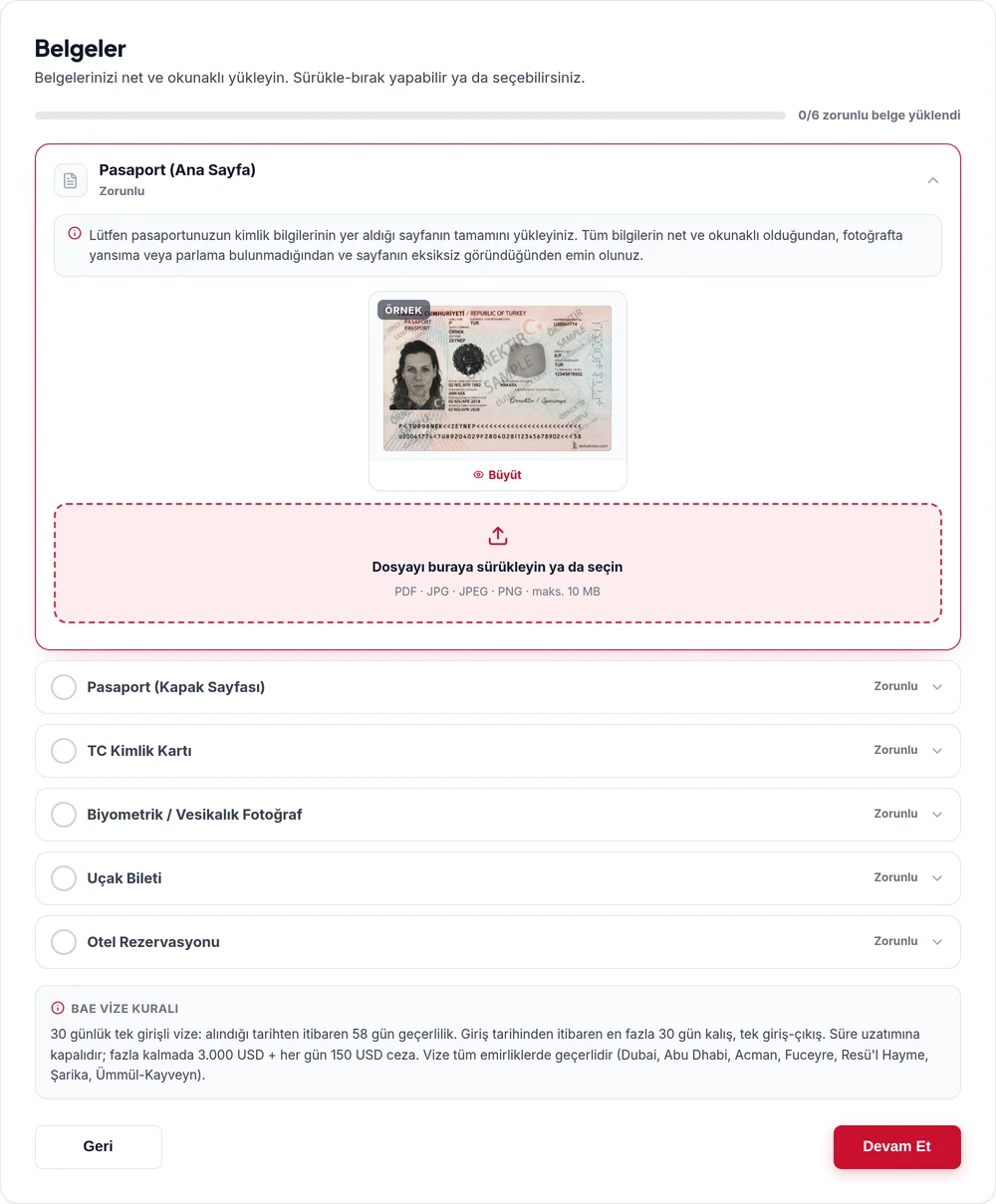
You upload the mandatory documents (passport bio + cover page, ID card, biometric photo, flight ticket, hotel booking) via drag & drop. PDF or image files are accepted.
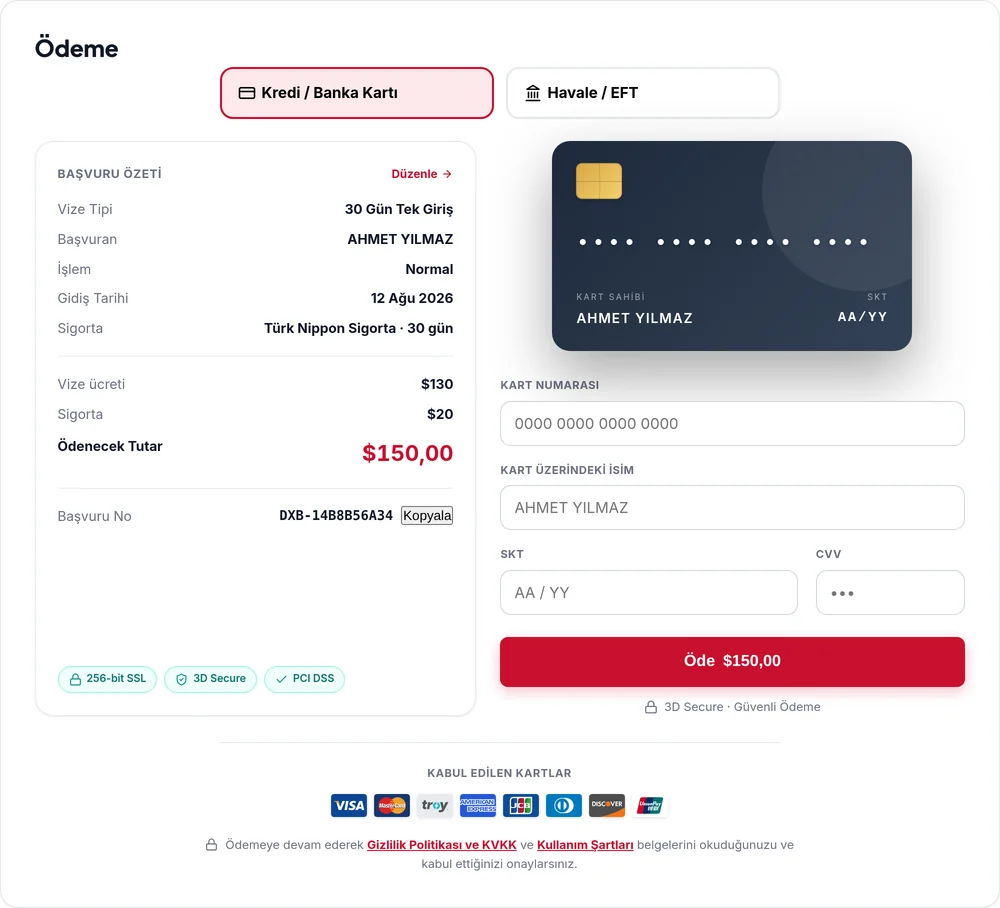
You review the total and its breakdown, then pay by card on a 3D Secure–protected screen — or by bank transfer. Your card details are never stored by us.
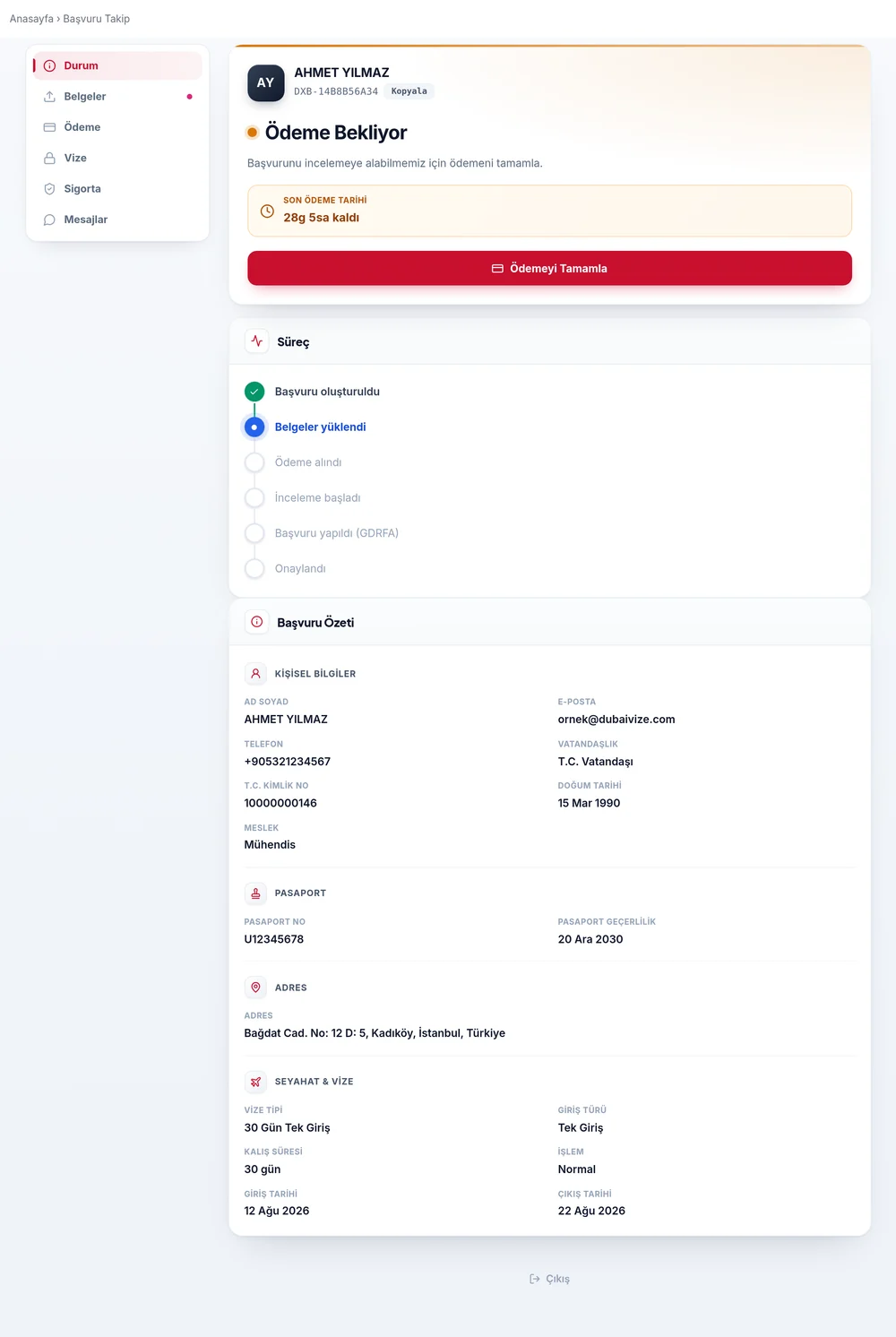
After payment you receive a personal tracking link. Follow every stage (review, approval, visa document) online and download the result PDF from your panel.
The form takes 5–10 minutes. If your documents are complete, your application enters review the same day; the average processing time is shown on your chosen visa type. Express shortens this.
Your progress is saved automatically. Continue via the link we sent, or with your email + tracking number.
To reach the payment step all mandatory documents must be uploaded — you cannot proceed with anything missing. Your application is saved, though: you can return any time to complete your documents, and you may change them at any point before payment.
All payments are protected by 3D Secure and processed on secure infrastructure; your card details are never stored by us.
Our expert pre-check minimizes rejection risk. In case of a negative result we inform you with the reason.
You know the steps — your application takes just a few minutes.
We are an authorised private travel agency; not an official government body or consulate.